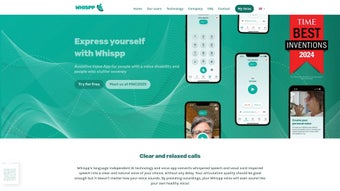

Download Whispp – Advanced AI Voice Generation for Seamless Communication
Overview
Whispp is a groundbreaking web‑based AI voice generator crafted specifically for individuals who experience speech impediments such as severe stuttering. By turning a whisper, a hesitant syllable, or any impaired utterance into a clear, natural‑sounding voice, Whispp empowers users to communicate confidently across any platform—whether it’s a mobile phone, a landline, or a video‑conference tool. The service does not require the recipient to install any software, which means conversations remain frictionless and universally accessible.
What truly sets Whispp apart is its deep personalization engine: users can train the AI to mimic the tone, pitch, and cadence of their own voice, preserving personal identity while eliminating the frustration of being misunderstood. In addition to personal use, Whispp offers a suite of professional features that make it valuable for workplaces, tele‑health sessions, and educational environments. Clinical studies have documented a statistically significant reduction in stutter frequency when users engage with the platform, highlighting its therapeutic potential.
Speech‑therapists can also leverage Whispp as a collaborative tool, customizing voice profiles for clients and tracking progress over time. Recognized for its commitment to accessibility, Whispp adheres to stringent privacy standards, ensuring that all voice data remains encrypted and stored securely. Whether you are seeking a daily communication aid or a research‑backed therapeutic companion, Whispp delivers a secure, free‑to‑start experience that continuously updates with the latest AI breakthroughs.
Key Features That Redefine Speech Assistance
- AI‑Powered Whisper Conversion: Transforms low‑volume or fragmented speech into fluid, intelligible sentences in real time.
- Personal Voice Modeling: Users can upload sample recordings, allowing the system to generate a voice that closely matches their natural timbre and speaking style.
- Cross‑Platform Compatibility: Works on any web‑enabled device—desktop, tablet, or smartphone— without the need for a dedicated app on the receiver’s side.
- Therapist Dashboard: Licensed speech‑therapists receive analytics, progress reports, and the ability to fine‑tune voice parameters for individual clients.
- Secure Cloud Processing: All audio data is encrypted in transit and at rest, complying with GDPR and HIPAA standards for medical‑grade privacy.
- Instant Text‑to‑Speech Overlay: Users can type a message that the AI reads aloud in their personalized voice, useful for situations where whispering is not feasible.
- Real‑Time Language Support: Built‑in multilingual models enable seamless switching between English, Spanish, French, and more, preserving voice consistency across languages.
- Continuous Learning Updates: Monthly AI model enhancements improve clarity, reduce latency, and expand voice‑style libraries.
Each feature is designed with accessibility at its core. For example, the therapist dashboard not only tracks stutter frequency but also visualizes acoustic parameters, giving professionals actionable insights without invasive measures. The real‑time language support eliminates the need for separate translation apps, ensuring that users can converse naturally in multilingual environments such as global conferences or family gatherings. Moreover, the secure cloud architecture guarantees that personal voice data never leaves the user’s control, fostering trust among privacy‑concerned individuals and organizations alike.
Installation, Usage Instructions, and Compatibility
Getting Started – No Download Required
Because Whispp is a fully web‑based solution, the installation process is as simple as visiting whispp.ai on any modern browser. Users create a free account by providing an email address and setting a secure password. Once logged in, the onboarding wizard guides the user through a short voice‑sampling session: three to five seconds of natural speech (or a whisper) are recorded, and the AI begins building a custom voice model. This process typically takes less than five minutes.
Step‑by‑Step Usage
- Record or Upload: Click the “Start Recording” button, speak a short phrase, or upload an existing audio file.
- Model Training: The platform processes the sample in the cloud, generating a voice profile. Users can preview and adjust pitch or speed sliders before saving.
- Live Conversion: In the main interface, press the microphone icon and speak normally. Whispp instantly converts the input into clear speech, which is streamed to the selected call or playback device.
- Text Overlay (Optional): Type a message in the “Text to Voice” field; the AI reads it aloud using the personalized voice.
- Share a Link: Generate a one‑time shareable link that routes incoming calls through Whispp, eliminating the need for the recipient to install any software.
Operating System Compatibility
Whispp runs flawlessly on all major operating systems that support contemporary browsers:
- Windows 10, 11 (Edge, Chrome, Firefox)
- macOS Monterey and later (Safari, Chrome, Firefox)
- Linux distributions with recent Chromium‑based browsers
- iOS 14+ (Safari, Chrome) – fully responsive mobile layout
- Android 9+ (Chrome, Edge) – touch‑optimized UI
Because the service is cloud‑driven, performance is independent of device hardware; even low‑end smartphones experience sub‑second latency, provided a stable internet connection (minimum 2 Mbps recommended). For organizations that enforce strict network policies, Whispp can be whitelisted via its HTTPS endpoints (api.whispp.ai).
Pros, Cons, Frequently Asked Questions, and Final Verdict
Pros & Cons
- Pros:
- Free basic tier with generous usage limits.
- Highly accurate voice personalization that preserves user identity.
- No recipient‑side app required – works with any phone or video platform.
- Therapist‑friendly analytics and progress tracking.
- Robust privacy controls and end‑to‑end encryption.
- Continuous AI improvements via monthly updates.
- Cons:
- Requires a stable internet connection; offline mode is not yet available.
- Advanced voice‑model customization is limited to the paid “Pro” plan.
- Initial voice‑sampling may feel awkward for users new to recording themselves.
FAQ – Your Questions Answered
Is Whispp really free to use?
Yes, Whispp offers a free tier that includes up to 60 minutes of voice conversion per month. Users who need more minutes or advanced customization can upgrade to the Pro plan for a modest monthly fee.
Can I use Whispp on a landline phone?
Absolutely. Whispp generates a standard telephone audio stream that can be routed through any landline interface via a simple call‑forwarding link. The person on the other end hears the clear, AI‑enhanced voice without needing any software.
How secure is my personal voice data?
All recordings are encrypted with TLS during transmission and stored encrypted at rest. Whispp complies with GDPR and HIPAA, giving you full control over data deletion at any time.
Do speech‑therapists need a special account?
Therapists can register with a standard account and then enable the “Therapist Dashboard” feature, which unlocks client‑management tools, progress charts, and bulk voice‑model imports.
What happens if my internet connection drops mid‑call?
Whispp automatically buffers a few seconds of audio locally. If the connection is restored within 10 seconds, the conversation resumes without noticeable disruption. Longer outages will end the session, but the user can restart instantly.
Conclusion & Call to Action
Whispp represents a significant leap forward in assistive communication technology. By marrying cutting‑edge AI voice synthesis with a user‑centric, privacy‑first design, it delivers a reliable, free‑to‑start solution that genuinely improves the daily lives of people who stutter or face other speech challenges. The platform’s cross‑device flexibility ensures that conversations remain natural whether you’re on a smartphone, a desktop, or a traditional landline. While the need for an internet connection and the limited features of the free tier are minor trade‑offs, the overall value proposition is compelling for individuals, families, and professionals alike. If you or someone you know struggles with speech fluency, give Whispp a try today – the sign‑up takes seconds, and the first voice model is generated for free.
Rating: 4.5/5
Whispp delivers an impressive blend of accessibility, accuracy, and security. The personalized voice model feels remarkably natural, and the therapist dashboard adds a professional edge that few competitors have. Minor limitations—like the reliance on an internet connection—are outweighed by the benefits. Overall, a strong recommendation for anyone seeking a seamless, AI‑driven speech assistance tool.



.png)



